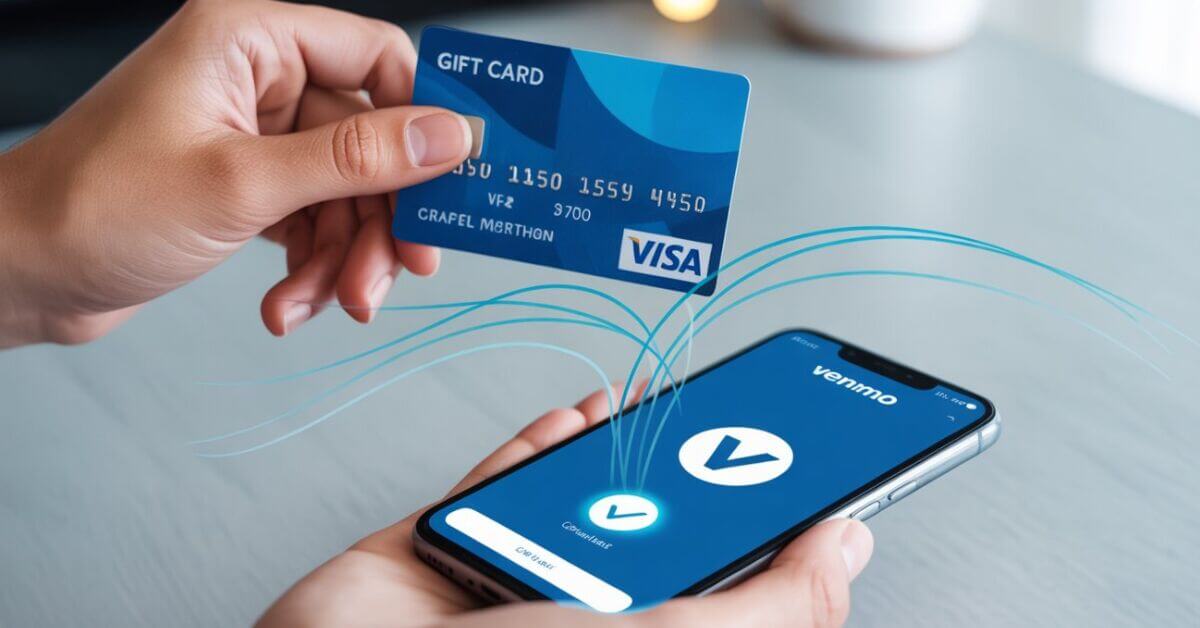
Yes, a gift card with a Visa, Mastercard, American Express, or Discover logo can link to Venmo as a payment card, if you activate it and register a billing ZIP code first. A store gift card such as Amazon or Starbucks will not link at all, and no gift card can top up your Venmo balance. Here is exactly what works, what fails, and why.
Can you add a prepaid gift card to Venmo as a payment method?
Yes, sometimes. You can add a network-branded prepaid gift card (one with a Visa, Mastercard, Amex, or Discover logo) as a payment card to spend from. But Venmo’s official position is that it doesn’t support prepaid or gift cards, so results vary by card and issuer. A store-specific gift card, like an Amazon or Starbucks card, won’t link at all because it isn’t tied to a card network. Our guide to how Venmo works covers the payment methods it does officially support.
Which prepaid gift cards work with Venmo?
Only gift cards that run on a major card network have a chance of working, like the Visa, Mastercard, American Express, or Discover prepaid cards sold at grocery and drug stores (Vanilla Visa is the most common). For any of them to link, the card has to:
- Be activated with the issuer after purchase.
- Be registered with a billing ZIP code (and ideally your name and address).
- Have enough balance to cover Venmo’s small temporary verification charge.
How do you add a prepaid gift card to Venmo?
To add a prepaid gift card that meets the conditions above, follow the same steps as adding a debit card.
- Open the Venmo app and tap the Me tab.
- Go to Settings, then Payment Methods.
- Tap Add bank or card, then Card.
- Enter the card number, expiration date, CVV, and the registered ZIP code.
- Confirm. Venmo runs a small temporary charge (usually under $1) to verify the card, then releases it.
Venmo’s Wallet help section covers managing your linked cards.
Why won’t my gift card work on Venmo?
Most failures come down to one of these:
- The card isn’t activated yet, so the network rejects it.
- It has no registered billing ZIP code, so Venmo shows an “invalid ZIP code” or “can’t add card” error. Register the card on the issuer’s site and use that exact ZIP.
- The balance is too low to cover the verification charge.
- Venmo is blocking prepaid cards under its tighter 2026 fraud rules.
Can you add gift card money to your Venmo balance?
No. A linked gift card is a payment method you can spend from, not a way to top up your Venmo balance. Venmo only adds money to your balance from a linked bank account or direct deposit, so the “Add Money” screen won’t accept a gift card. You spend the gift card directly when you pay someone, and the value never moves into your Venmo balance.
Can you cash out or transfer a gift card from Venmo?
No. Because the gift card’s value never enters your Venmo balance, there’s nothing to cash out. You can’t transfer a linked gift card to your bank account or move its balance to another person as Venmo cash. A linked gift card only lets you pay directly from it. If you want money you can withdraw, link a bank account instead, and our guide to Venmo limits shows how much you can move once you do.
Limitations to know
- Prepaid gift cards can’t be reloaded once the balance runs out.
- Most cards link to only one Venmo account.
- Some merchants and payment types decline prepaid cards.
- Watch for inactivity fees or expiration dates that quietly shrink the balance.
Better alternatives to a prepaid gift card
If you use prepaid balances often, a prepaid card is a clumsy fit for Venmo. Two cleaner options: link a bank account for full balance, transfer, and cash-out access, or get the Venmo debit card, which draws straight from your Venmo balance and works anywhere Mastercard is accepted.
What about sending a gift card through Venmo instead?
That is a separate feature, and it is the one that always works. Rather than linking a gift card you already own, Venmo lets you buy and send a brand gift card inside the app. The rest of this guide covers that side.
Can you send a gift card on Venmo?
Yes. Venmo has a built-in gift-card feature, so you can send a brand gift card to a friend the same way you send a payment. You pick a brand, choose the amount, and Venmo delivers it inside the app. It launched in 2023 and covers 15 popular brands, including Starbucks, Amazon, Target, Chipotle, DoorDash, Uber, and Sephora. The recipient can view and spend the gift card without ever leaving Venmo.
How do you send a gift card on Venmo?
To send a gift card, take the same path as a normal payment, which our guide to sending money on Venmo walks through in full.
- Start a payment to your friend in the Venmo app.
- Tap the Gift button.
- Choose a brand from the 15 available and set the amount.
- Add an animated design or note if you like, then send.
Your friend gets a notification within about 15 minutes to “unwrap” the gift. One thing to know: once another Venmo account receives it, the gift card can’t be reversed or canceled, so double-check the recipient first. If they are not in your contacts yet, here is how to add friends on Venmo. Venmo doesn’t charge a fee to send one from your balance or linked bank.
How do you receive or redeem a gift card on Venmo?
To open a gift card someone sent you, start from the notification.
- Tap the notification (or open your Venmo activity) and unwrap the gift.
- View the gift card details and balance, which stay saved in the Venmo app.
- Use the card number at the brand to spend it, and track the remaining balance in Venmo.
A gift card arrives differently from cash, which is covered in our guide to receiving money on Venmo.
Key takeaways
- Only network-branded prepaid cards (Visa, Mastercard, Amex, Discover) can link as payment. Store cards can’t.
- A prepaid card must be activated and registered with a billing ZIP, and it is for spending only, not loading your balance or cashing out.
- For full access, link a bank account or use the Venmo debit card.
- You can send a gift card through Venmo from 15 brands: start a payment, tap Gift, pick a brand.
- A sent gift card can’t be reversed once unwrapped, and there’s no fee from your balance or bank.