

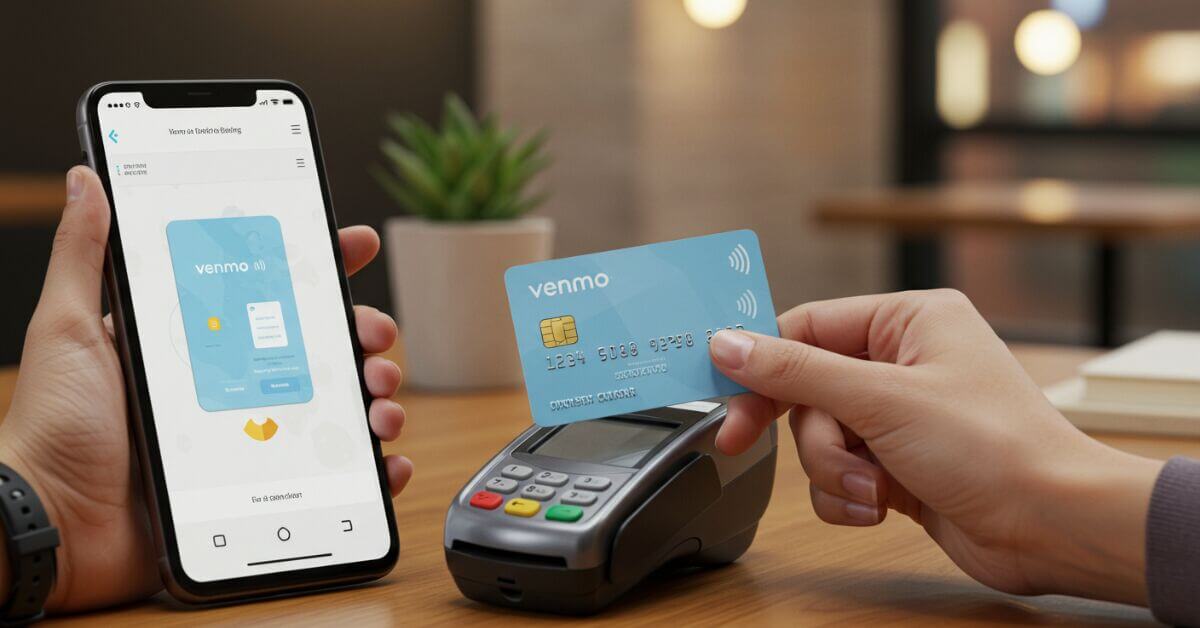
To get a Venmo Debit Card, open the Cards tab in the Venmo app, tap Get Started, and complete the application; approved cards arrive within 10 business days, free. The card is a Mastercard tied to your Venmo balance, so you can spend that balance anywhere Mastercard is accepted in the US, withdraw cash at ATMs, and earn up to 5% cashback through Dosh offers. Here is how to apply, what it costs, its limits, and how to get the most from it.
How do you order a Venmo Debit Card?
Applying takes 7 steps in the Venmo app. To qualify, you must meet Venmo’s requirements: 18 or older, a US resident, and a verified Venmo account.
- Open the Venmo app, updated to the latest version.
- Go to the Cards tab at the bottom of the screen.
- Select Venmo Debit Card and tap Get Started.
- Complete your personal information: name, date of birth, and address.
- Verify your identity. Venmo may ask for a photo ID and a selfie.
- Review and confirm your application details.
- Wait for approval. Your card arrives within 10 business days, shipped to your home address only.
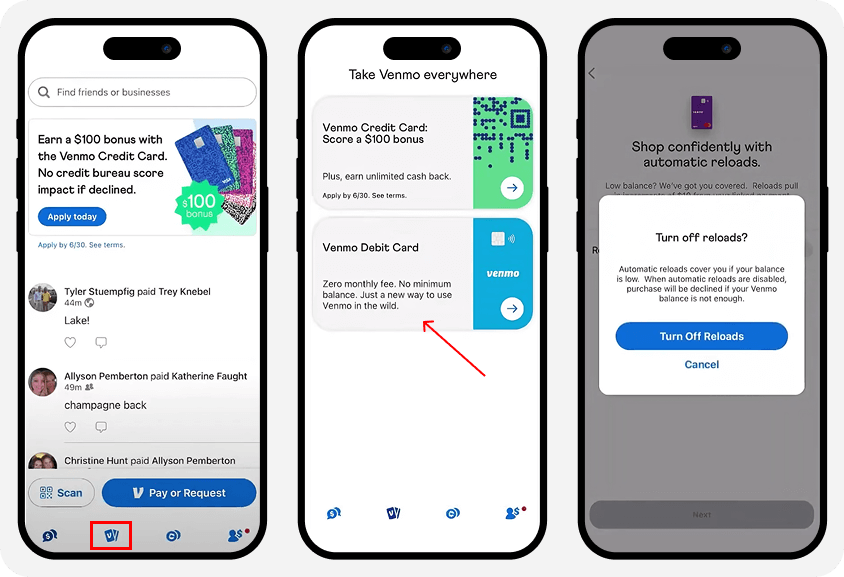
If you are waitlisted, check the Cards tab regularly for updates.
What are the benefits of the Venmo Debit Card?
The card is issued by The Bancorp Bank and runs on Mastercard, serving Venmo’s more than 90 million users. Six things stand out:
- Cashback rewards: up to 5% at retailers like Target or Dunkin through Dosh offers, which rotate.
- No purchase fees and free withdrawals at over 40,000 MoneyPass ATMs.
- Mobile wallet support: works with Apple Pay and Google Pay.
- Early direct deposit: paychecks up to two days early.
- App features: split transactions, track spending, and adjust privacy per payment.
- FDIC insurance: up to $250,000 of pass-through protection via The Bancorp Bank when you use direct deposit.
What are the Venmo Debit Card fees and limits?
Costs stay low, per Venmo’s fee schedule and its debit card guide:
| Feature | Details |
|---|---|
| Purchases | $0 at US merchants accepting Mastercard |
| ATM withdrawals | Free at 40,000+ MoneyPass ATMs; $2.50 at other ATMs; $3 over the counter |
| Instant transfers | 1.75% fee ($0.25 minimum, $25 maximum), per Venmo’s instant transfer FAQ |
| Cash withdrawals | $1,000 per day combined across ATM, over-the-counter, and cash back, resetting at 12:00 AM CST |
| Cashback | Up to 5% through rotating Dosh offers |
The card’s spending caps ($3,000 a day on purchases, $1,000 a day at ATMs, 30 transactions a day, no published weekly cap) sit with the rest of your account caps in our guide to Venmo limits.
How do you get the most from your Venmo Debit Card?
- Check Dosh offers weekly in the app for the current cashback deals.
- Use MoneyPass ATMs (CVS, 7-Eleven, and others) via MoneyPass.com or the app locator to skip fees.
- Enable direct deposit for early paychecks and FDIC coverage.
- Set payments to Private or Friends-only for security.
- Add cash at retail: load funds at stores like Walmart or CVS with an app-generated barcode.
- Avoid scams: Venmo never asks for card details by email or text. If your account gets restricted, here is how to get money out of a frozen Venmo account.
To check your card details inside the app, see how to see your Venmo card number.
Key takeaways
- Order the card free in the app’s Cards tab; it arrives within 10 business days.
- It spends your Venmo balance anywhere Mastercard is accepted in the US.
- Cash withdrawals cap at $1,000 a day across ATM, counter, and cash back.
- Up to 5% cashback comes through rotating Dosh offers.
- Direct deposit adds early paychecks and FDIC pass-through insurance.
The card is one piece of the wider app, covered in our guide to how Venmo works. Before you apply, it is worth checking for a current Venmo promo code.





